Start here.
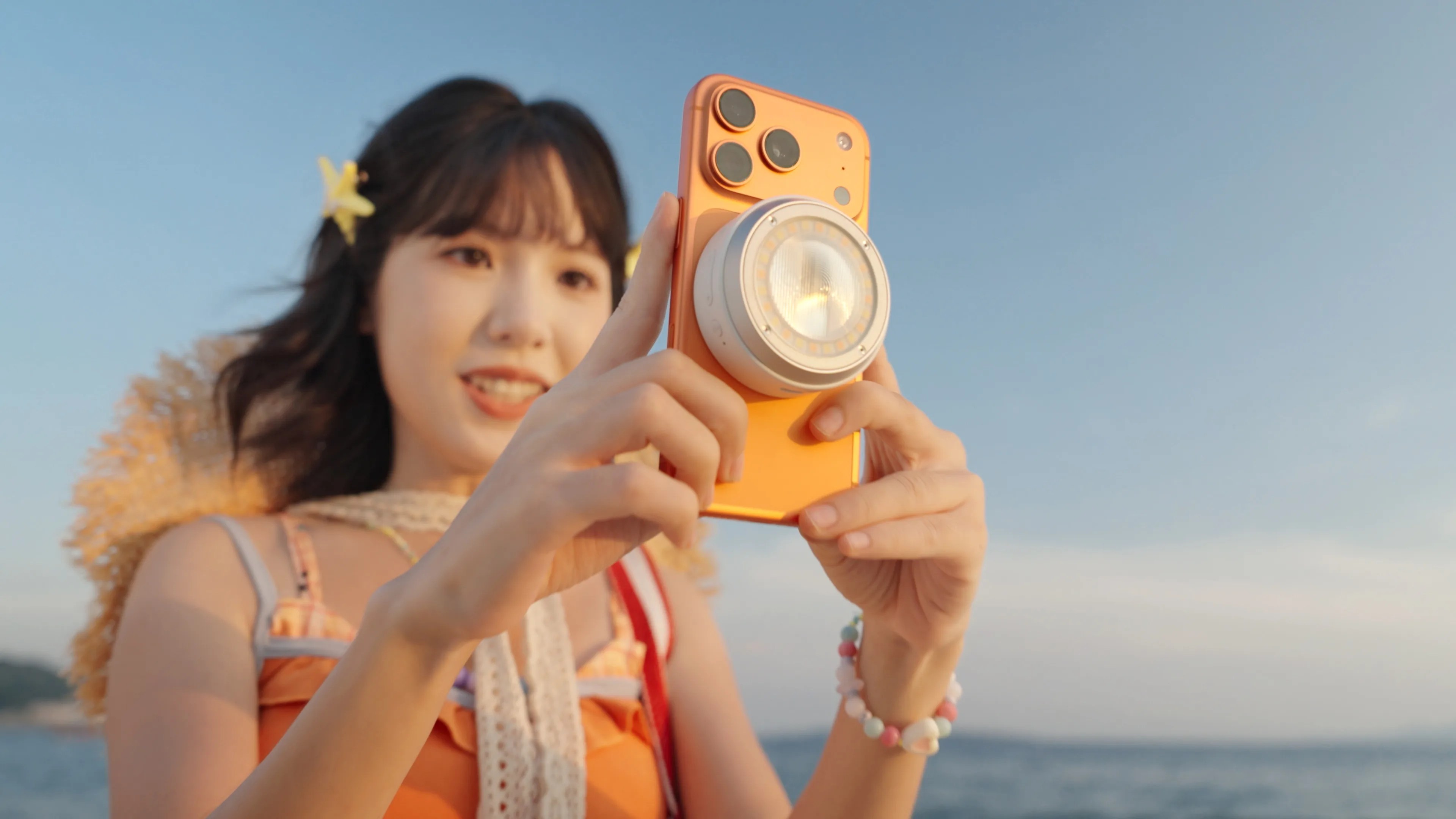
The Godox A2 Smartphone Xenon Flash brings a separate flash to a compatible iPhone. For photographers, the useful idea is simple: move the light and study what changes. This is a researched first look with suggested exercises, not a hands-on review. We have not tested the A2.
Your three next steps
- Check your exact iPhone, iOS version and the Godox Camera app before buying.
- Compare ambient-only, direct-flash and off-camera frames of the same subject.
- Share the setup, settings and what changed—not just the finished photograph.
In this lesson
- What is the Godox A2, and why should photographers care?
- Compatibility and the specifications that matter
- How to set up the A2 with your iPhone
- Try this: the three-frame portrait challenge
- Small flash, hard shadows: work with the light
- Where it fits in a photographer’s kit
- Questions to ask before calling it a hands-on review
- Share the photograph—and how you lit it
- Build the lighting skill, then finish the photograph
What is the Godox A2, and why should photographers care?
The A2 combines a xenon flash for still photographs with a separate bi-color LED light. Godox lists TTL automatic flash, manual power control and magnetic mounting. Bluetooth control lets you place the light away from the phone. Those are manufacturer claims, not our test findings.
The creative opportunity is light placement. A small light beside a lens gives a different look from the same light placed to one side. You can study direction, shadows and background separation without turning every practice session into a full studio setup.
Our assessment: this is an interesting learning tool for compatible iPhone photographers. Whether it earns a place in your paid workflow depends on the app, file quality and consistency you get. A spec sheet cannot settle those questions.
Compatibility and the specifications that matter
Godox’s published compatibility list starts at iPhone 15 with iOS 18.0 or later. Check the exact model in its current manual. One troubleshooting row in that manual says iPhone 16 or later, so confirm any uncertain model with Godox before buying.
Godox Camera is the documented shooting app. Its App Store listing also requires iOS 18.0. Do not assume that Apple Camera or your favorite social app can fire the flash.
These are published specifications checked October 19, 2026. Real output and reliability still need testing with your phone. The 15 m Bluetooth rating describes communication distance, not useful lighting distance.
| Published specification | What to plan around |
|---|---|
| Guide number: about 15 at ISO 100, meters | Godox recommends keeping the flash within 2 m of the subject. |
| TTL and manual; 1/128 to full power | Use manual power when comparing controlled frames. |
| High-speed sync: up to 1/8000 second | This is a limit, not a recommended starting shutter speed. |
| About 400 full-power flashes; about 2 s recycling | Wait for the ready indicator between frames. |
| LED: about 3 W; 2800–6000 K through the app | Continuous lighting is separate from the xenon flash. |
| About 93 g; USB-C charging | Check mounting security before moving the phone. |
How to set up the A2 with your iPhone
Charge the A2 before first use. Install Godox Camera, power on the flash and enable Bluetooth. In the app, tap the plus control, select A2 and connect. Follow the in-app guide and check for firmware updates.
Make a basic test before adding accessories. Keep the subject, phone and light still. Start with automatic exposure if you need an initial frame, then move to manual camera and flash settings for comparisons.
Use the same lens, framing, ISO, shutter and white balance while testing one lighting change. If a control is unavailable, record that limit. Review saved files, not just the live preview. This tells you far more than a bright flash firing.
Try this: the three-frame portrait challenge
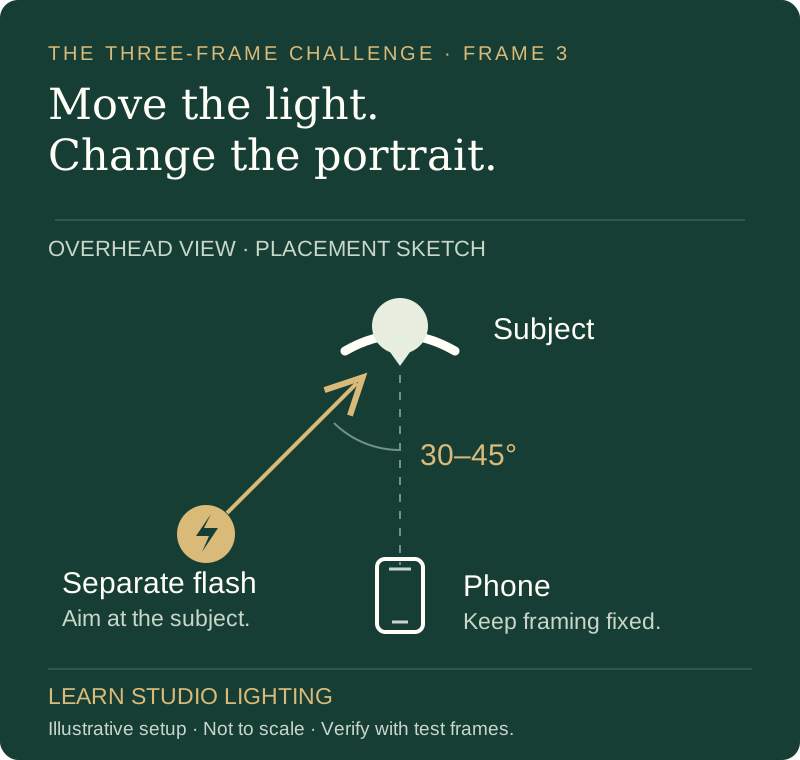
Choose a willing adult or a small still-life subject in a controlled space. Use steady room light and a plain background. Keep the camera position and framing fixed. These are proposed exercises; the diagram is a placement sketch, not a measured A2 result.
Frame 1: leave the flash off. Set an exposure that keeps useful background detail. Record what already lights the subject. This is your ambient baseline.
Frame 2: add direct flash near the phone. Start low and raise output gradually until the subject looks right. Check bright skin, glasses and shiny objects. Save the frame and settings before changing anything.
Frame 3: move the flash roughly 30–45 degrees to one side, slightly above the subject. Keep its distance to the subject similar. Aim it toward the subject and take another frame. If brightness needs correction, note the power change. Compare shadow direction separately from brightness.
Study the nose shadow, catchlights, texture and background. There is no automatic winner. Direct flash may suit a bold editorial look; side light may give the shape you want. The skill is choosing deliberately and explaining the result.
| Frame | Keep or change | Look for |
|---|---|---|
| 1 · Ambient only | Flash off; establish framing and exposure | Existing shadows and background detail |
| 2 · Direct flash | Same camera position; add light near the lens | Frontal highlights and shadows behind the subject |
| 3 · Off-camera flash | Move light to one side; record any power correction | Face shape, shadow direction and background spill |
Small flash, hard shadows: work with the light
A small source often makes crisp shadow edges. That can be a creative choice. For a softer look, the apparent size of the source matters: how large it looks from the subject’s position. A tiny dome does not become a large softbox simply because it is called a diffuser.
If you experiment with bounce, use a nearby neutral surface. Expect light loss and check for a color cast. A distant ceiling or colored wall can make a small flash less useful. Photograph the actual result before deciding the modifier helped.
Keep a gap behind your subject where the room allows. Move the light and watch whether its beam hits the background. Our source-size tool explains these relationships; it does not simulate the A2 or predict its exact exposure.
Where it fits in a photographer’s kit
Consider it for deliberate phone portraits, small objects and location-lighting practice. An assistant can help you move the light while you keep the camera steady. Secure it properly rather than trusting an uncertain magnetic surface.
For a wedding, client session or fast action, test the entire capture workflow first. Check repeated exposures, focus, saved image detail and recovery after the phone sleeps. Treat it as a creative option until you know its limits.
High-speed sync does not guarantee enough power for a bright outdoor scene. Changing shutter speed can also change recorded flash output in high-speed operation. Check both the subject and background after each adjustment.
Do not assume the A2 itself triggers your Godox X-system studio lights. Godox’s product page describes a separate upcoming smartphone trigger. Confirm that product’s availability and compatibility before planning a multi-light setup.
Questions to ask before calling it a hands-on review
Does the app preserve the file quality you need? Compare exported files with your usual phone workflow. Look closely at skin, fine detail and bright highlights. Record the lens and file settings, so a difference has useful context.
How consistent are repeated frames? Keep a setup fixed and make a short sequence after full recycling. Note missed flashes, exposure shifts or connection problems. One successful frame is not a reliability test.
Can it replace your studio flash? Decide from the job: coverage, modifier size, working distance and repeatability. A compact phone light and a studio system can serve different needs. We have no measured basis for claiming the A2 replaces either your camera or your existing lights.
Share the photograph—and how you lit it
Invite a photographer friend to make the same three frames. Share this guide with the question: “Which light position suits the subject, and why?” That creates a more useful discussion than asking whether the newest accessory is worth buying.
For a How I Lit It submission, include the finished photograph, a setup photo or sketch, phone and app details, distance and settings. Tell us what failed and the one change that helped. Follow the submission form’s permissions before sharing another person’s photograph.
You can do the exercise with equipment you already own. A Godox A2 purchase is not required. Clear notes and an honest comparison are the useful part.
Build the lighting skill, then finish the photograph
Learn Studio Lighting connects each lighting choice to something you can test. Use the lessons, free planning tools and podcast to keep practicing. Join the lighting list for new guides you can bring to your next shoot.
Once you have a strong original, optional retouching can support the finish. Choose your sharpest file, explain what should stay and name the change you want. Editing cannot reliably recover clipped highlights or prove detail that was never captured.
Remember this
Move one light. Compare three frames. Record what changed. Share a setup another photographer can actually learn from.
Show us the photograph—and the setup.
Tried the challenge? Submit your real photograph, setup and lessons for How I Lit It. Your equipment can be simple; make your explanation useful.
Share my lighting story →Sources & further reading
Product facts were checked against the sources below on October 19, 2026. Exercises and the placement diagram are original teaching examples; they are not measured product tests.
- Godox: A2 product specifications and operating-distance guidance ↗
- Godox: A2 instruction manual, setup and compatibility list ↗
- Godox Camera: official App Store listing and iOS requirements ↗
- Learn Studio Lighting: one-light portrait lighting principles ↗
Published by DNA Premium Portraits with AI assistance. This lesson is educational; a suggested setting is not a tested result for your exact setup.