A free tool for the photograph you haven’t made yet

Scene & Pose
MoodBoard Planner

See your next portrait
before the shoot.

Turn your location, lighting equipment and mood into portrait concepts—with poses and styling you can prepare for.

Free monthly session · three previews + one refinement · no purchase required

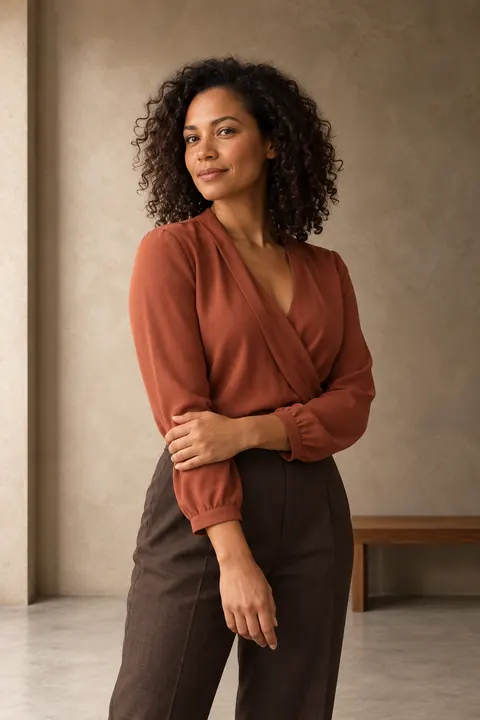
Quiet confidence: generated planning concept in a studio
01Quiet confidence
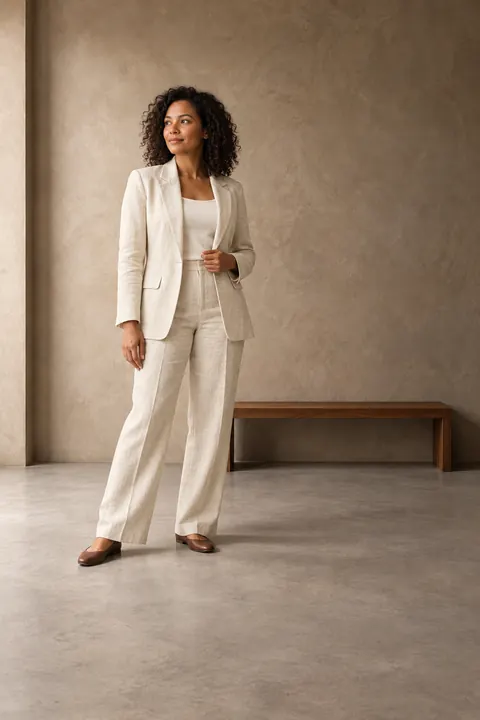
An easy conversation: generated planning concept in a studio
02An easy conversation
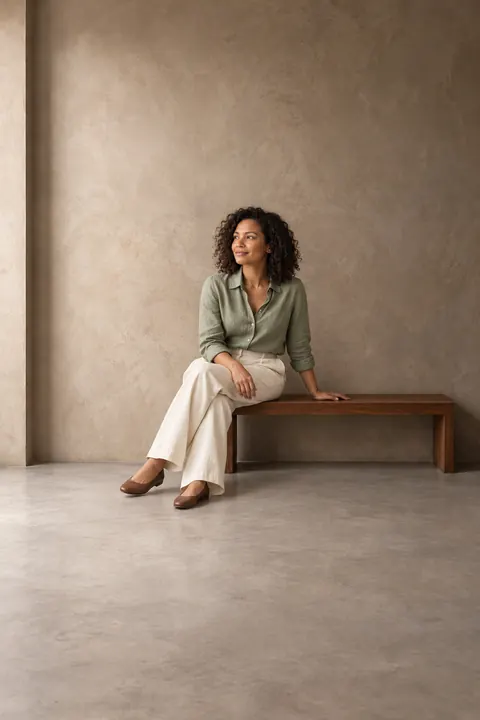
Warm editorial: generated planning concept in a studio
03Warm editorial

One scene. Three visions.
Generated demonstration · generic adult · illustrative studio

Opening the interactive planner. The example and planning guide below remain available without signing in.

From a possible photograph to a practical plan

A photography mood board that starts with your light.

Read the practical guide: plan a portrait shoot from a location photo →

01

Start with a place.

Upload a wide photo of your actual location, add another angle, and point out usable seating or surfaces. Or explore an illustrative studio, garden or urban scene. Location-based portrait planning should work with the space you have.

02

Make the choices connect.

Your selected lights guide the intended direction, softness and contrast. The pose turns toward or away from that light deliberately. Suggested outfit colors, fabrics and silhouettes complement the environment and the person’s comfort.

03

See three possibilities.

Compare three generated concepts, reveal lighting, pose and outfit notes, then refine one selected image. Save a clean concept, an annotated moodboard or a printable shot card before your session.

Plan a boudoir session around comfort and light.

Select Boudoir for adult, non-explicit concepts with fully clothed or robe styling, or covered lingerie and bodysuit options. Choose standing/seated poses or allow supported reclining. The planner connects relaxed hands, body angles, fabric highlights and coverage to the actual light you selected. Add individual comfort limits; a preview never replaces consent on set.

Build a boudoir lighting plan for your space and equipment.

A plan to test, not an exposure simulation.

The photographs visualize a creative intention. They cannot measure your room, guarantee a person’s likeness or establish exact flash power. Check space, safety, posing comfort and the light with your subject. Use a meter and a test frame for exposure.

Selected flashes, windows, ambient light and passive reflectors are separate choices. A one-flash concept should not depend on an unlisted rim light. Any conflict found during review is shown with the concept.

Changing the setup changes the proposed plan. A saved image stays unchanged until you request a permitted generation or refinement.

Keep your planning private.

Sign in to save your project and access the monthly allowance. One session per UTC month is free. An eligible verified paid retouching order earns one bonus session, redeemable once per order, with a maximum of two sessions per month. Refunded, canceled, test and zero-cash orders do not qualify. Each session includes three initial concept previews and one selected-image refinement. The calendar month resets at midnight UTC; your account shows that time locally.

Saved images, location references and notes are private. Downloading does not require a purchase or a marketing opt-in. Social exports omit your original location unless you explicitly include it. Nothing is posted automatically.

Submit only references you have permission to process. Necessary image copies are sent to the configured processing services when you generate. Read the privacy information. Delete a saved project from the planner when you no longer need it.
A few useful answers.

How is this different from the reference-photo planner?

This photoshoot concept planner explores photographs you could make from your scene and equipment. The reference-photo planner starts with an existing photograph and helps you work toward its lighting look. Use either as a planning aid, then verify on set.

Do I need a subject photo or a chosen outfit?

No. A generic adult stand-in and suggested wardrobe are enough to start. Add an outfit you already own or an authorized adult subject reference when those details matter. Flattering posing means comfortable, intentional choices; it does not automatically mean making a body thinner.

What happens if generation fails?

A wholly failed session restores eligibility. Saved partial results remain in their project, and missing images can retry within that session. If a request’s outcome is uncertain, the planner shows that status rather than silently spending another session. Reopening and downloading saved work are free.

Can I use natural light only?

Yes. Remove powered lights and select the available window or daylight. Describe the window direction and time of day. The plan should use those conditions rather than invent an extra flash or reflector.

What do I do after choosing a concept?

Take the shot card into the Lighting Variations Planner, on-set field card or measured-light tools. Explore private Sacramento workshops for hands-on help. If you want an optional finish later, return with your real captured photograph for a retouching assessment.